New:ready-made intake templates in Flow for MSPs and IT, healthcare, dental, legal, consulting and more. See the templates →
Follow Harbor Point IT, a managed IT company, as it onboards a new client, Northbridge Family Dental. Seven screens: documents in, questions answered, a password sent safely and the agreement signed.

See the whole product in 90 seconds, with sound: a file request, a file approved in a comment, a password sent by one-time link, an intake form and a signed agreement.
Watch the video (1:30)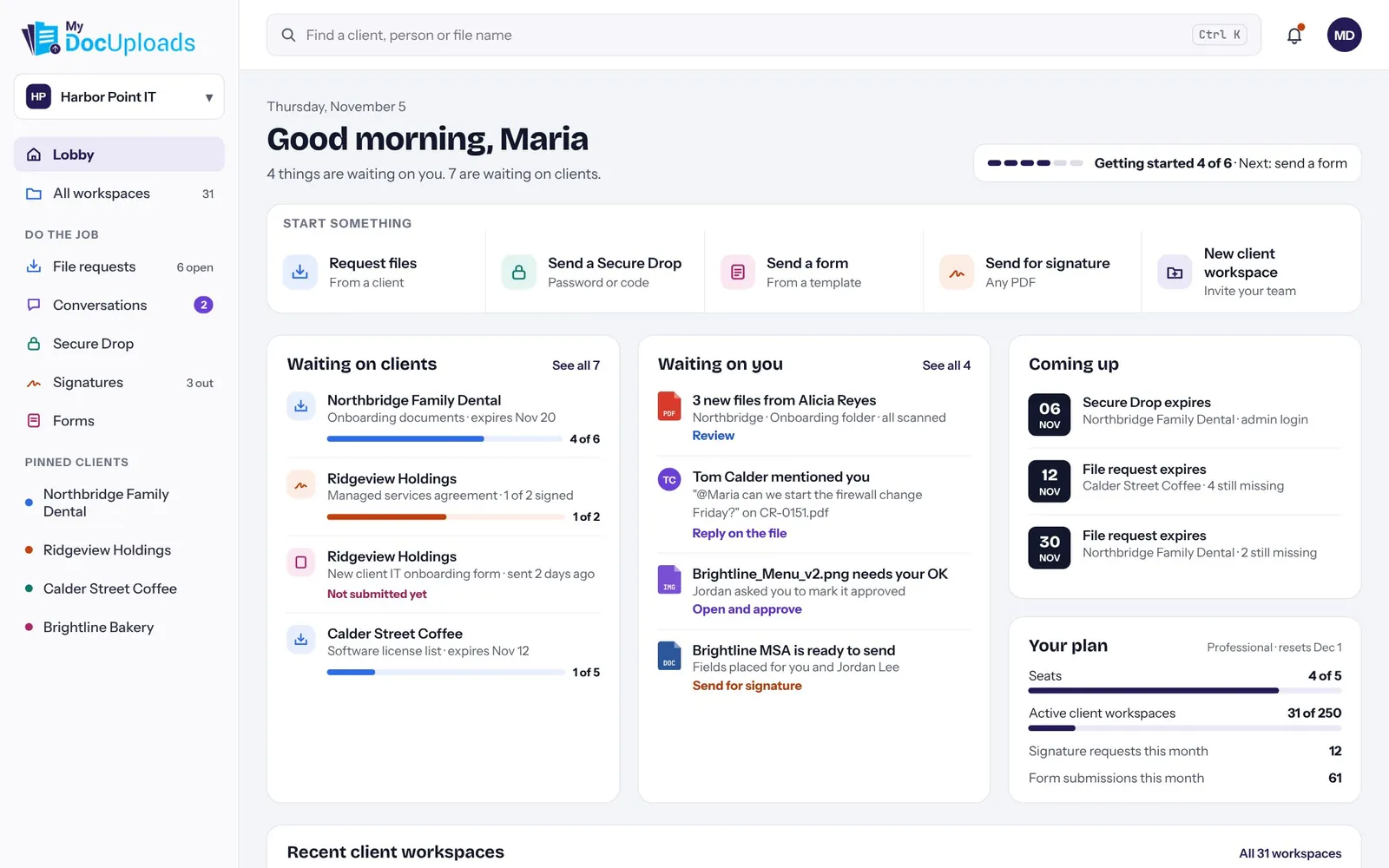
Maria runs client onboarding at Harbor Point IT. Her Lobby shows what's waiting on her and what's waiting on clients, across every workspace. Any job starts from the top row.
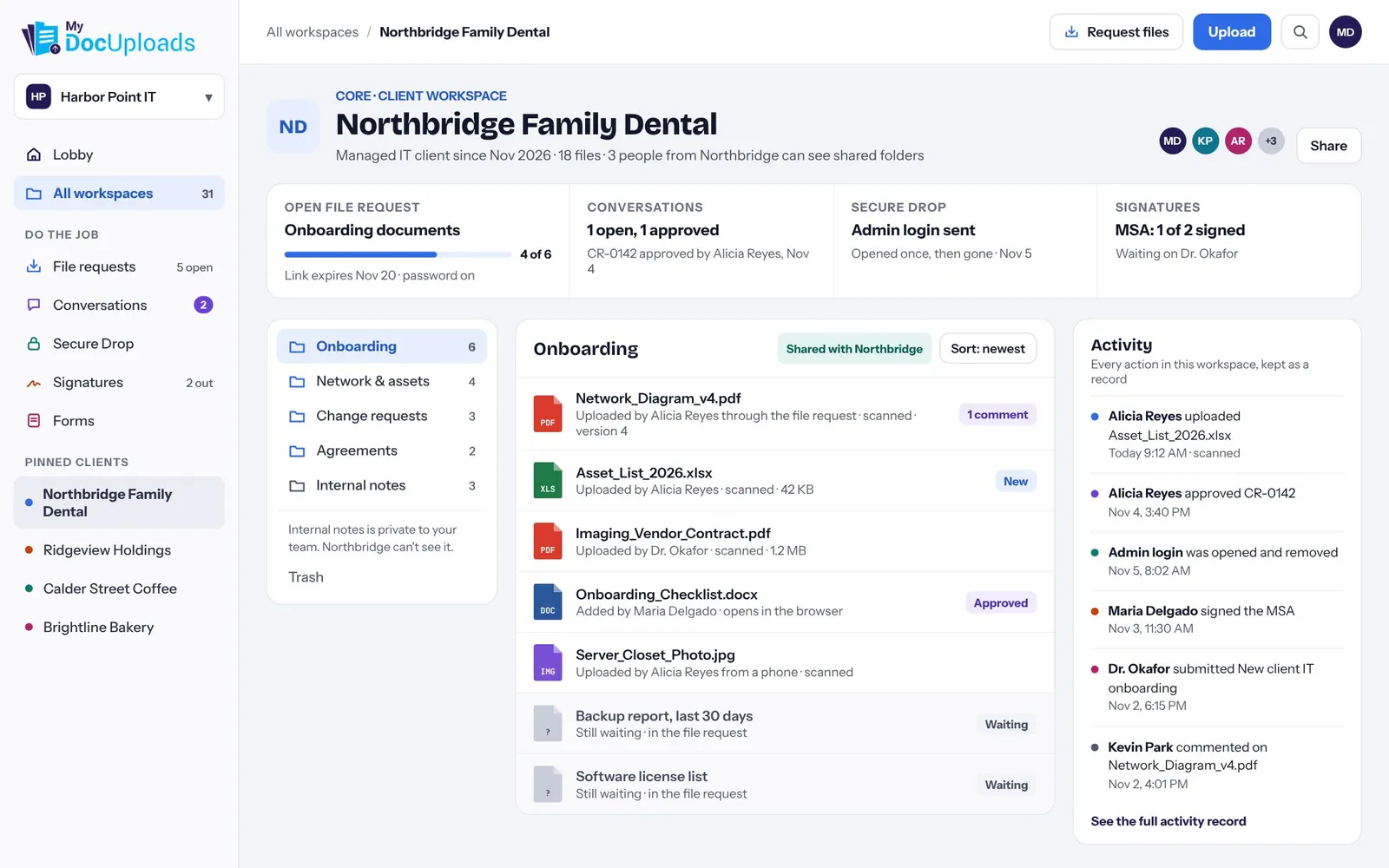
Northbridge's workspace holds its files, file requests, conversations, Secure Drops and signatures. Share a folder with the client or keep it internal. Office files open and edit in the browser, and every action lands in the activity record.
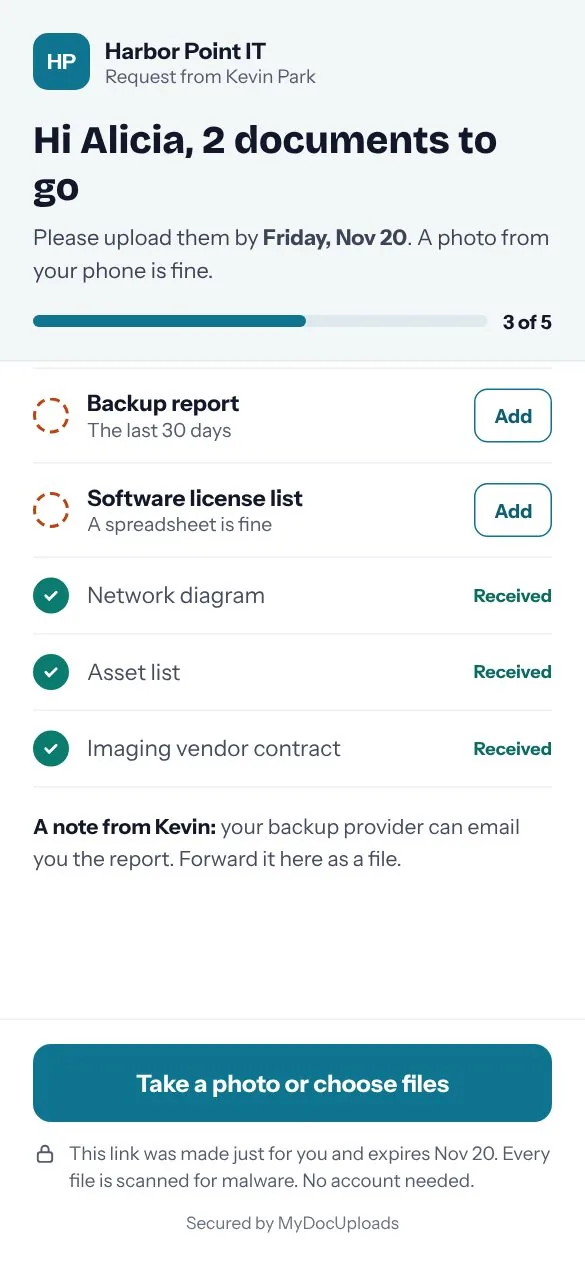
Alicia, Northbridge's practice manager, gets a checklist instead of a login. She sees what's left, adds files from her phone, and each item is marked received when it arrives. You can see the same progress back in the Lobby.
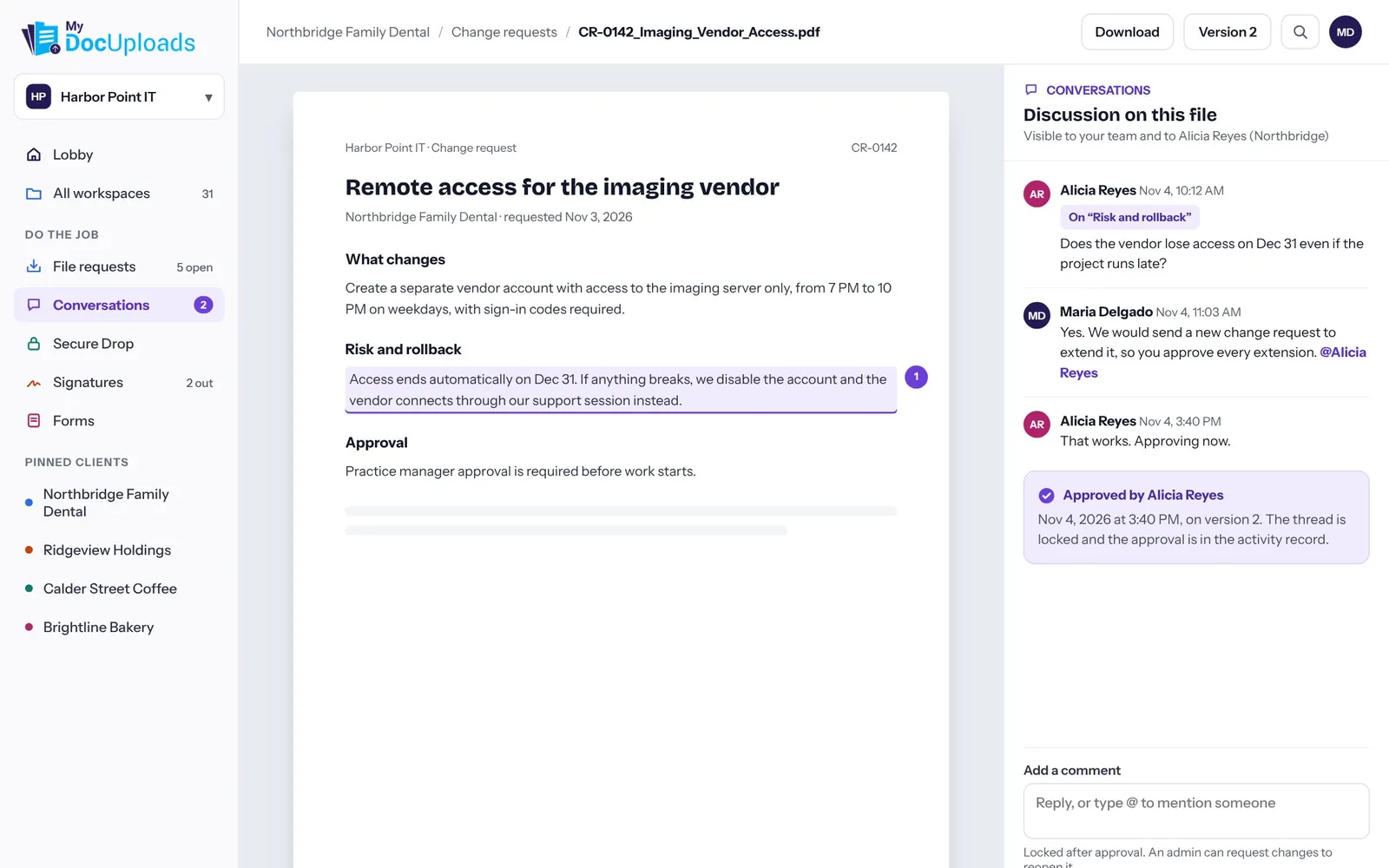
Alicia asks a question about the rollback plan right on the change request. Maria answers, and Alicia marks it approved. The approval is recorded with the time and the version she saw.
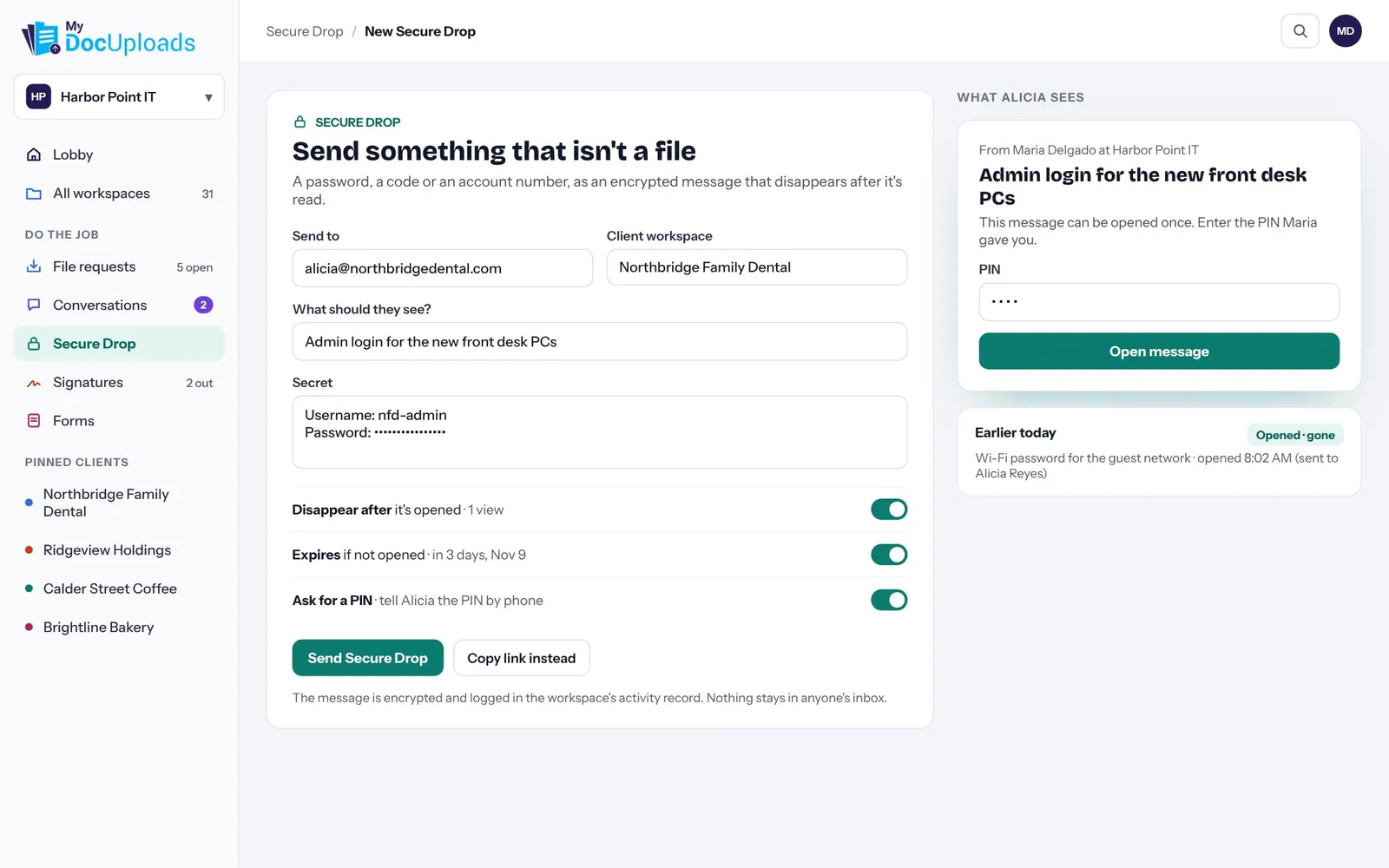
The new front desk login goes out as an encrypted, one-time message. It disappears after it's opened, expires if it isn't, and needs a PIN that Maria shares by phone.
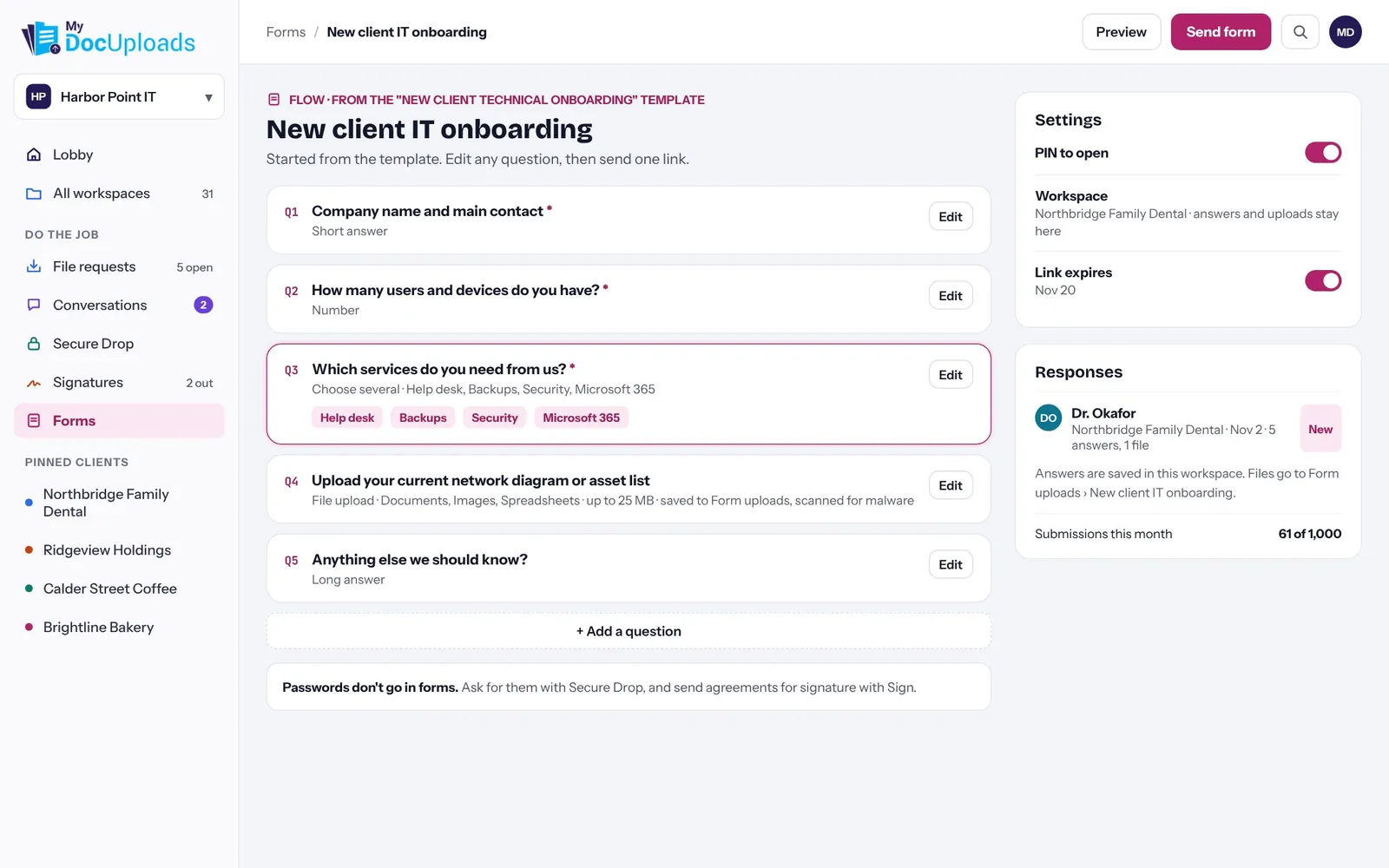
Maria starts from the New client technical onboarding template, edits a question and sends one link. Answers are saved in Northbridge's workspace, and uploaded files go to Form uploads, scanned for malware.
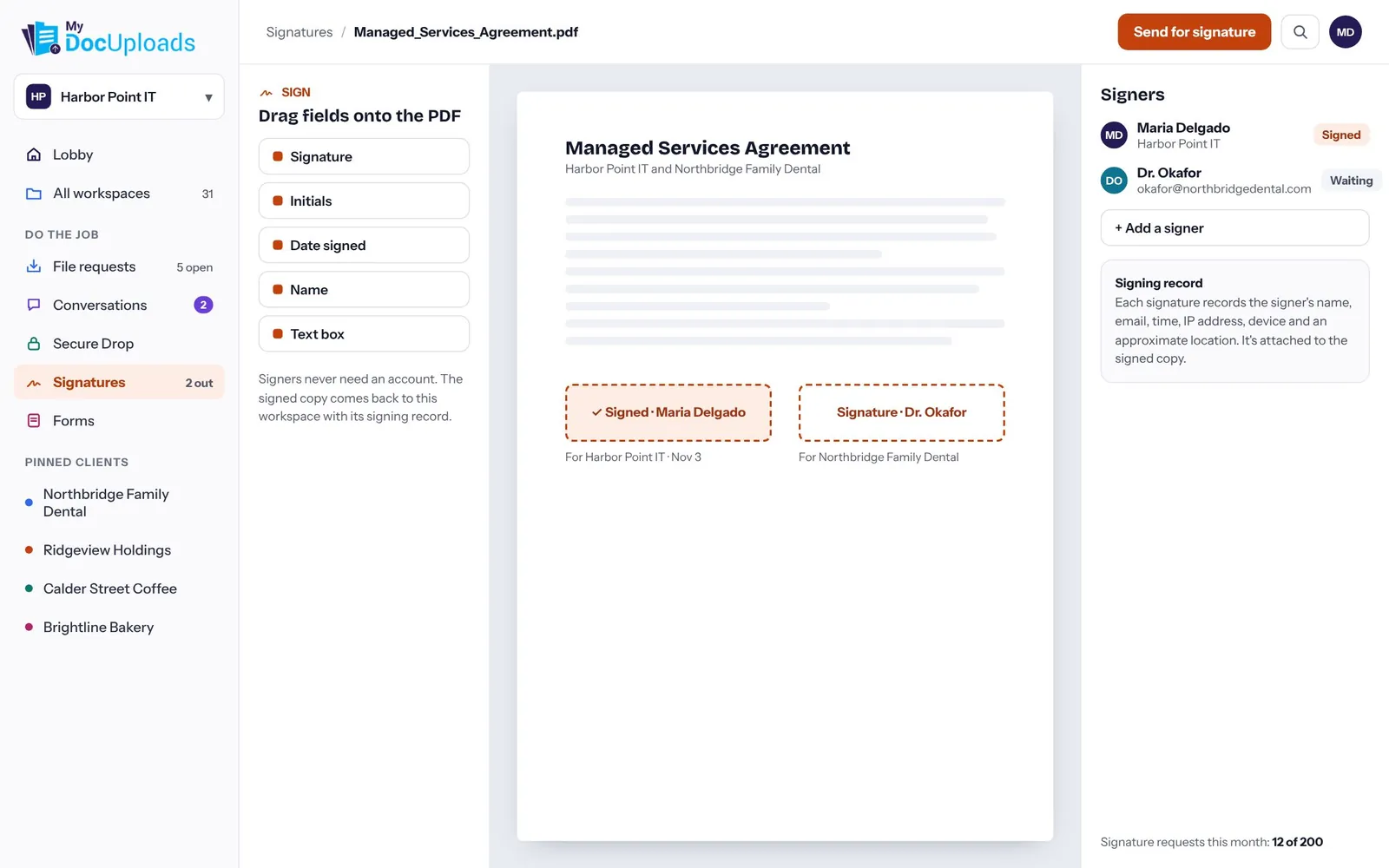
Maria drags fields onto the managed services agreement and sends it. Dr. Okafor signs without an account, and the signed copy comes back to the workspace with its signing record.
Set up a client workspace and send your first file request in a few minutes. Every module is included on every plan.
Tip: use the left and right arrow keys to move through the tour.