One secure workspace for every matter.
Collect client documents, run intake with a conflict check, agree on the final version next to the file and send it for signature. Your clients never need an account.
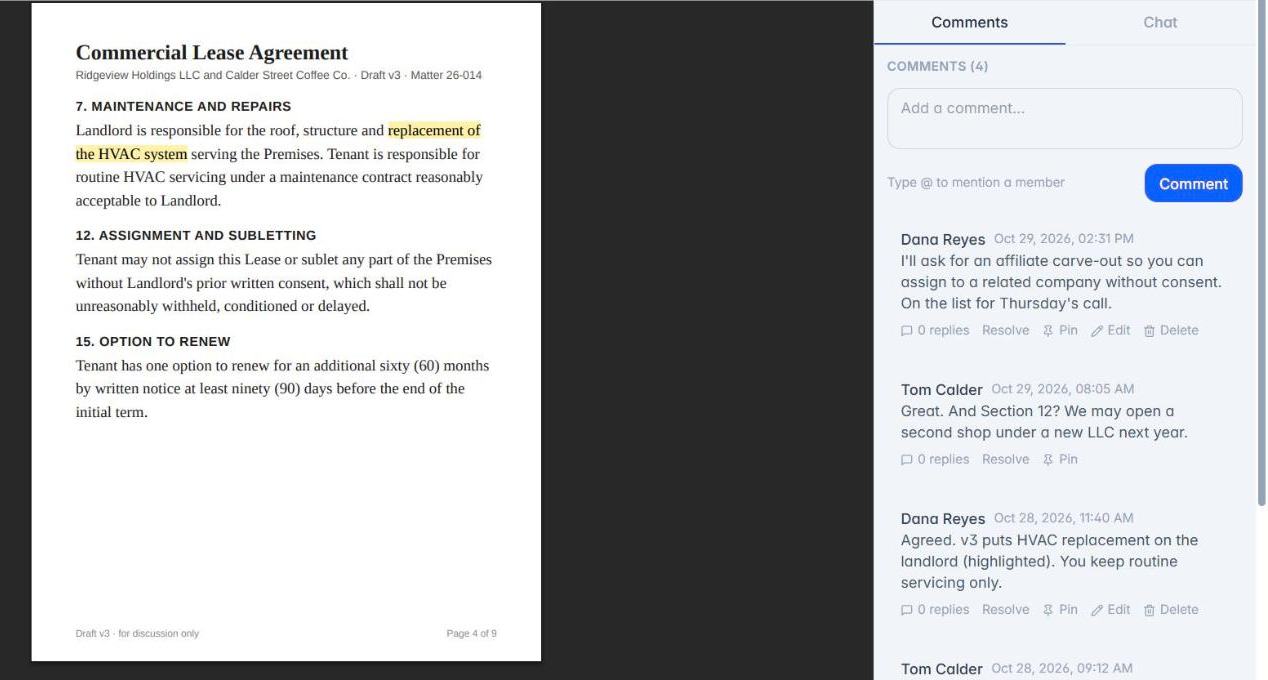
The matter file shouldn't live in your inbox.
"Re: Fwd: Re: engagement letter." "Which version is final?" "Did this go to the right person?" Email was built for messages, not for confidential client documents, and every attachment leaves a copy you don't control.
Matter by matter.
- Open a workspace for each matter. Share only the files the client needs, and keep your internal folders private.
- Start intake with the Legal client intake template in Flow: contact details, other parties for the conflict check, the type of matter and key dates. Add a PIN.
- Collect documents with a file request. The client uploads from a link and every file is malware-scanned.
- Discuss changes on the document itself in Conversations. When the terms are agreed, Mark Approved locks the thread.
- Send the approved PDF for signature with Sign. The signed copy returns to the matter.
What the rules ask.
ABA Model Rule 1.6(c) asks lawyers to make reasonable efforts to prevent unauthorized disclosure of client information, and ABA Formal Opinion 477R says some matters call for more than ordinary email. MyDocUploads gives you the tools for those reasonable efforts: encryption in transit and at rest, permissions per person and per matter, expiring links and an audit trail of who saw what.
MyDocUploads is a tool, not legal advice. Your state's rules and your firm's policies decide what is reasonable.
Intake templates for law firms.
Legal client intake · Estate planning enquiry · Business legal enquiry. Edit any question. Keep Social Security numbers and signatures out of the form: use Secure Drop and Sign instead.
Questions, answered.
- Do clients need an account?
- No. Clients upload, read, sign and fill in forms from secure links.
- Can I keep internal notes away from the client?
- Yes. Share only the files and folders the client should see. Permissions are set per person, per workspace.
- Does MyDocUploads connect to my practice-management software?
- Not today. Documents stay in the matter's workspace, where you can download them.